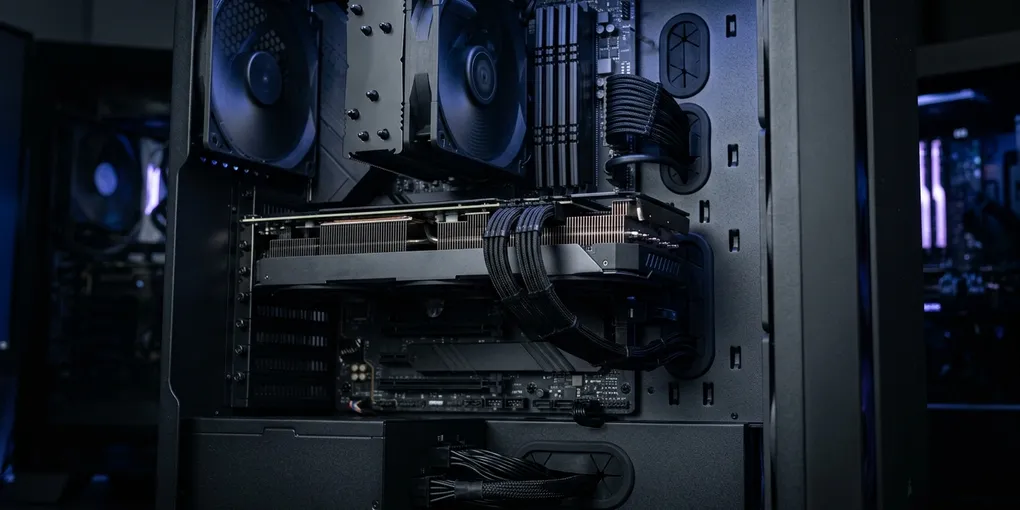
The Best GPUs for Running Local LLMs in 2026
As an Amazon Associate we may earn a commission from qualifying purchases made through links on this page, at no extra cost to you.
VRAM tables and buying notes below are editorial sizing, not Amazon listing copy. Software install steps live in the local LLM setup guide.
Running a large language model on your own hardware used to be a novelty. In 2026 it is a practical workflow — privacy-preserving coding assistants, offline document analysis, fine-tuning experiments, and freedom from a metered API. The single biggest factor in how good that experience feels is the graphics card you put in your machine.
This guide is a research-based analysis of public specifications, vendor documentation, and aggregated community feedback — not hands-on benchmarking. The goal is to help you reason about the trade-offs so you buy the right amount of card for the models you actually want to run.
The one specification that decides everything: VRAM
For inference — generating text with an already-trained model — raw compute throughput is rarely the bottleneck. The dominant constraint is video memory (VRAM). If a model’s weights do not fit in VRAM, the engine offloads layers to system RAM and token generation slows to a crawl. Get the model fully on-GPU and generation is fast; spill over the edge and it isn’t. Memory bandwidth then determines how fast.
As a practical rule of thumb, a model quantized to 4-bit precision (the common GGUF “Q4” formats used by llama.cpp and Ollama) needs roughly 0.55–0.7 bytes of storage per parameter, plus a few gigabytes of overhead for the context window (the “KV cache”). That produces a straightforward mapping; Hugging Face’s quantization documentation covers the underlying mechanics:
| Model size (params) | Weights @ 4-bit (approx.) | Comfortable single-GPU VRAM |
|---|---|---|
| 8B | ~5 GB | 8–12 GB |
| 14B | ~9 GB | 12–16 GB |
| 32B | ~20 GB | 24 GB |
| 70B | ~40 GB | 2× 24 GB, or 48 GB+ |
| 405B | ~230 GB | Multi-GPU or Apple Silicon |
Read this table before you read any spec sheet. An 8B-class model (the Llama, Qwen, Gemma, and Mistral families) runs comfortably on a 12 GB card and flies on a 16 GB one. A 70B-class model — the tier most people mean when they say “local ChatGPT” — needs around 40 GB of VRAM, which in practice means either two 24 GB cards or one 24 GB card with CPU offload. This is why experienced local-LLM builders obsess over VRAM, and why 24 GB cards have a cult following.
The ecosystem reality: NVIDIA, AMD, and Apple Silicon
Hardware capability only matters if the software stack supports it. NVIDIA’s CUDA is the de facto compute platform for machine learning: PyTorch, vLLM, Transformers, and the entire fine-tuning ecosystem target CUDA first and support everything else later. For a frictionless local-LLM setup — install a tool, download a model, start chatting — an NVIDIA card is the path of least resistance.
AMD’s ROCm is the open alternative and has improved substantially, with first-class Linux support for recent Radeon cards. The catch is edge cases: some quantization formats, some Windows configurations, and some newer model architectures land on ROCm weeks or months after CUDA. AMD’s appeal is purely financial — you get more VRAM per dollar.
Apple Silicon is a third category entirely. Macs use unified memory, meaning the GPU addresses the same large pool of RAM as the CPU. A maxed-out Mac Studio with an M3 Ultra chip can be configured with up to 512 GB of unified memory — enough to run models that would otherwise require a small farm of discrete GPUs. The trade-off is bandwidth and price: per-token generation is slower than a high-end NVIDIA card, and you are buying an entire computer, not a component.
The cards worth buying, by use case
Best overall: NVIDIA GeForce RTX 5090 (32 GB)
The RTX 5090 is NVIDIA’s Blackwell flagship: 32 GB of GDDR7 on a 512-bit bus, roughly 1,792 GB/s of memory bandwidth, and 21,760 CUDA cores. For local LLMs the headline number is the 32 GB — the only single consumer card that comfortably holds a 32B-class model with a large context, or a 70B-class model with heavy quantization and partial offload. It is also power-hungry (575 W TGP) and sits at flagship-tier pricing. If your goal is “the best local inference experience money can buy in one slot,” this is it.
Desk note — who this is for / what it’s bad at: One-slot builders who will actually run 32B-class models (or a squeezed 70B) and already have a PSU and case that can take a 575 W card. Bad at “I run 8B all day” — you are buying unused VRAM and a loud, hot slot. Bad as a first card if the rest of the box is a 650 W office PSU.
Before you click: treat the 5090 search as a price check against a used 4090, not a default cart add. If the listing is a prebuilt “AI workstation,” read the PSU model and case airflow; a thin chassis with a 5090 is a thermal brick. For a 8B–14B coding assistant, step down a tier.
Check RTX 5090 pricing on Amazon →
Best for 70B-class models and best 24 GB value: RTX 4090 (and used RTX 3090)
The RTX 4090 pairs 24 GB of GDDR6X with about 1,008 GB/s of bandwidth and the strongest single-card compute of the previous generation. It runs a fully offloaded 32B model with room to spare and a 70B model with partial offload, and it remains the most popular high-end card in the local-LLM community. The used RTX 3090 offers the same 24 GB for dramatically less money — its compute is older, but for inference the 24 GB matters more than the FLOPS, which is why secondhand 3090s are the budget 70B-builder’s favorite. Two used 3090s can run a 70B model fully in VRAM for a fraction of a single 5090.
Desk note — who this is for / what it’s bad at: The 4090 is the “I want 24 GB new, with current software support” card. A used 3090 is the “VRAM per dollar, I will check the card and the PSU” card. Both are bad if you only need 8B–14B daily — step down a tier. A used 3090 is also a bad idea if you will not verify seller photos, power connectors, and remaining warranty yourself.
Before you click: new 4090 search results still mix Founders, AIB triple-fans, and leftover liquid-cooled SKUs that need a specific bracket. Used 3090 results mix 24 GB with 10 GB 3080s that share a photo. Confirm 24 GB in the spec line. If you are buying two 3090s for a full 70B, confirm the board will run dual x8 and that your DeepSeek-R1 70B tag is actually the plan — most desks are happier on :14b or :32b.
Check RTX 4090 pricing on Amazon →
Best mid-range for 8B–14B models: RTX 5080 / RTX 4080 SUPER
If your target is the 8B–14B tier — which covers the bulk of genuinely useful daily-driver assistants — you do not need 24 GB. The 16 GB RTX 5080 (Blackwell, GDDR7) and the previous-generation 16 GB RTX 4080 SUPER both hold an 8B model with an enormous context or a 14B model comfortably, and they generate tokens fast thanks to high memory bandwidth. For most people who are not chasing 70B, this tier is the sweet spot of price-to-experience. (Hardware sizing and the software stack sit in our local LLM setup guide.)
Desk note — who this is for / what it’s bad at: Daily local assistants and self-hosted coding tools in the 8B–14B band. Bad at “local ChatGPT-70B” — you will offload and feel it. Do not buy this tier hoping a software update will invent 8 GB of VRAM.
Before you click: 5080 and 4080 SUPER searches both say “16 GB” when they are honest. Walk away from listings that hide memory behind “ultra” or bundle a random prebuilt. This is the tier that makes Ollama + Continue feel like a daily driver; it is not the tier that replaces Claude in the cloud for a 70B-shaped review.
Best AMD option: Radeon RX 7900 XTX (24 GB)
The Radeon RX 7900 XTX gives you 24 GB of GDDR6 and about 960 GB/s of bandwidth at a lower price than any 24 GB NVIDIA card — the most VRAM per dollar you can buy new. Through ROCm it runs Ollama, llama.cpp, and PyTorch competently on Linux. The caveat is the ecosystem lag described above: if you want cutting-edge quantization formats on Windows, or you fine-tune with bleeding-edge libraries, verify compatibility before you commit. For inference-focused Linux builds, it is an excellent value.
Desk note — who this is for / what it’s bad at: Linux inference builders who will read ROCm notes and want 24 GB without NVIDIA’s tax. Bad at “install and forget on Windows,” bad at being first in line for a new quantization format, and a poor fit if the rest of your stack is CUDA-only fine-tuning.
Before you click: confirm the listing is the XTX (24 GB), not a 7900 XT or GRE with a similar photo. ROCm version pins matter more than the street price. If you wanted “install Ollama and open Cursor,” pay the NVIDIA tax and stop reading AMD threads.
Check RX 7900 XTX pricing on Amazon →
Best for very large models: Apple Silicon Mac Studio
Once you want to run 100B+ parameter models — or run a 70B model with a huge context — discrete consumer GPUs stop scaling affordably and you are into multi-GPU territory. Here Apple’s unified memory is genuinely compelling: a Mac Studio with an M3 Ultra can be configured with up to 512 GB of unified memory, letting a single machine load models that would otherwise need four to six high-end GPUs. Generation is slower per token than a 5090, and the floor price is high, but for the largest open-weight models it is often the most practical single-box solution.
Desk note — who this is for / what it’s bad at: People who need a single box to hold a model that will not fit in 24–32 GB of discrete VRAM, and who already live in macOS. Bad at tokens-per-second bragging rights against a high-end NVIDIA card, and a bad “GPU upgrade” — you are buying a whole computer, not a PCIe card. If you wanted a portable CUDA machine instead, that is the developer laptop problem.
Before you click: there is no honest “Mac Studio GPU” Amazon card. You are buying a whole machine from Apple (or a refurb channel). Unified memory is the product; a base Studio with 64 GB is a different animal from a maxed Ultra. If 32–64 GB is the real budget, a MacBook Pro already covers DeepSeek-R1 8B/14B and you do not need a desk brick.
The software layer
Hardware is half the equation. The good news is that the local-LLM software stack has matured to the point where starting is trivial:
- Ollama — the easiest on-ramp. One command installs a model and serves an API; ideal for trying models quickly. (We walk through a full setup in the local LLM setup guide, and a DeepSeek-specific path in how to run DeepSeek-R1 locally.)
- llama.cpp — the foundational C/C++ inference engine behind most of the ecosystem; the source of the GGUF format and the place where new optimizations land first.
- LM Studio — a polished desktop GUI for discovering, downloading, and chatting with models, good for users who prefer to avoid the terminal.
- vLLM — a high-throughput serving engine aimed at production workloads and concurrent requests; overkill for a single user but essential if you are building applications on top of your models.
All of these favor NVIDIA first, which is the practical reason CUDA dominance shows up in buying decisions even when an AMD card looks equal on a spec sheet.
If the card is only there to serve a coding model into an editor, the software hop is self-hosted tools plus, for current Cursor builds, the HTTPS tunnel — a 24 GB card does not make localhost:11434/v1 work.
What to check before you click
Every Amazon URL on this page is a search, not a blessed ASIN. This desk does not inventory marketplace sellers. Before you click a price:
- VRAM on the listing, not the marketing name. “RTX 5080” in a title is not 24 GB. Confirm the memory number in the spec table. If you wanted a 70B-class daily driver, a 16 GB card will offload no matter what the box art says about AI.
- TGP / connector / PSU, not FLOPS. A 5090 at 575 W wants a 12V-2x6 (or 12VHPWR) cable that actually seats, a 1000 W+ ATX 3.x PSU, and a case that is not a 2-slot ITX cube. A 650 W office supply will not “be fine.”
- Physical length and slot width. Flagship cards are often 3–3.5 slots and 330+ mm. Measure the case and the adjacent PCIe slot you still need for a NIC or capture card.
- Used 3090 hygiene. Ask for photos of the power connectors, fans, and PCB — not a stock render. Mining-farm language, missing boxes, and “tested working” with no GPU-Z screenshot are walk-away signals. Two cheap 3090s still need two fat power cables and a motherboard that will run them.
- Laptop vs desktop. If the GPU has to commute, that is the developer laptop problem (usually 8 GB at a cut TGP). Do not buy a blower 4090 for a backpack.
- Software first, receipt second. A card you cannot run Ollama or a DeepSeek-R1 tag on is a paperweight. NVIDIA is the install-and-forget path; AMD is a Linux/ROCm reading assignment.
Practical buying notes
A few non-spec considerations tend to surprise first-time builders:
- Power supply. A 5090 (575 W) or 4090 (450 W) demands a serious PSU and ideally a dedicated high-wattage rail; budget for 1000–1200 W for a single flagship, more for multi-GPU.
- Physical size and cooling. Flagship cards are enormous and throw off serious heat under sustained inference. Check case clearance and airflow before you buy.
- The used 24 GB market. For inference, a used RTX 3090 at roughly half the price of a 4090 is often the highest-value purchase in this entire category. Two of them will run a 70B model fully in VRAM.
- Multi-GPU scaling. llama.cpp and vLLM both support tensor and pipeline parallelism across cards. Two 24 GB cards are frequently cheaper than chasing a single 48 GB professional card for the same effective capacity.
- Don’t overbuy compute. If your models fit in 16 GB, a 5090’s extra speed is real but its 32 GB is wasted budget. Match the card to the model tier you will actually run. (If you want local inference without a desktop tower, our best laptops for developers covers portable NVIDIA and Apple Silicon options.)
Bottom line
The best GPU for local LLMs is the one with enough VRAM to hold your target model with a comfortable margin. For 8B–14B models, a 16 GB card like the RTX 5080 or RTX 4080 SUPER is the sweet spot. For 32B and partially-offloaded 70B models, a 24 GB card — RTX 4090 new, used RTX 3090 for value, or RX 7900 XTX for VRAM-per-dollar — is where most serious local-LLM builders land. For the absolute best single-card experience, the 32 GB RTX 5090 stands alone. And for the largest open-weight models, Apple Silicon’s unified memory is the practical escape hatch from multi-GPU complexity.
Buy the VRAM your models need, prefer NVIDIA unless you have a specific reason and a Linux build for AMD, and let the software stack do the rest.
Related Reading
- How to Run LLMs Locally: Ollama, llama.cpp, and Hardware Requirements
- How to Run DeepSeek-R1 Locally with Ollama
- How to Use a Local LLM in Cursor with Ollama
- Best Laptops for Developers in 2026
- Best Open Source AI Coding Tools You Can Self-Host
- Cursor vs GitHub Copilot: Which AI Code Editor Wins?
- ChatGPT vs Claude vs Gemini: Which AI Is Best for Developers?